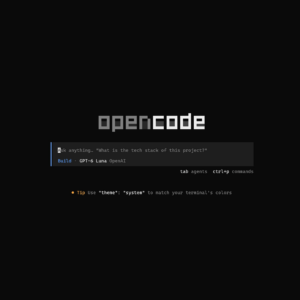
Installing and Configuring OpenCode
Install and configure OpenCode on Windows or Linux with Bun, MCP servers, permissions, watcher exclusions, and reusable skills.
Read the article Installing and Configuring OpenCode
Install and configure OpenCode on Windows or Linux with Bun, MCP servers, permissions, watcher exclusions, and reusable skills.
Read the article Installing and Configuring OpenCode
With the Windows Package Manager (winget), it is easy to install software from the command line. This makes your installs scriptable and thus repeatable. This article is the WinGet counterpart to my previous Notes on Chocolatey: it shows how to reproduce a machine’s installation instructions and update your packages regularly. Install WinGet WinGet is supported…
Read the article Notes on winget
Let’s switch from Chrome to Brave, as it is a more privacy-focused browser and the ad blocker extensions don’t function anymore. I’ll also show how to make Windows start Brave when you type ‘chrome’ into your Run box. And let’s fix those profile icons.
Read the article Swapping Chrome for Brave on Windows
Make OpenCode easier to use in Windows Terminal by adding a key binding that sends Shift+Enter through the kitty keyboard protocol.
Read the article Add Shift+Enter to OpenCode in Windows Terminal
Use GitHub’s git-commit skill to make VS Code’s Generate Commit Message button produce consistent Conventional Commit messages.
Read the article Improve VS Code Commit Messages with GitHub’s git-commit skill
If you have local administrator access, you may be able to temporarily override a managed Windows 11 wallpaper by updating the registry and refreshing the wallpaper with PowerShell.
Read the article How to bypass company wallpaper as local admin on Windows 11
Here are some script to locally debug your JWT token using Bash or PowerShell. I just need to know if the token is expired or not.
Read the article Debug JWT expiration locally with bash or PowerShell
I’ve decided to upgrade the hubot-command-mapper and the bot-zero projects to ESM, just like Hubot 11. This blog will focus on how to upgrade the unit tests. In that sense it is a short rewrite of Hubot testing revisited.
Read the article Hubot Testing Revisted (Again): Hubot 11
At Wehkamp, we’ve been very busy with the migration of our container platform. Our (old) Blaze platform runs on Mesos, Marathon, and NGINX, but we’re shifting to a new Atlas platform, powered by Kubernetes and Istio. This setup gives us more resilience, security and auto scaling. A year ago, we successfully migrated our www-ingress to this new platform. This week, we set our sights on migrating the app-ingress for our Android and IOS backend services. Unfortunately, things didn’t go as planned…
Read the article How Istio and Argo CD helped us to debug platform migration issues for our App
There are many guides on how to install and configure Git on a Windows PC. As I test new developer laptops for Wehkamp, it makes sense to have some notes on how to do it. Most Windows developers use git HTTPS cloning, but this guide shows how to install and configure SSH.
Read the article Notes on Git Setup with SSH for Windows (GitHub)