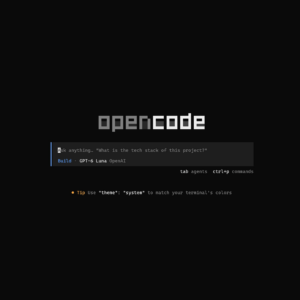
Installing and Configuring OpenCode
Install and configure OpenCode on Windows or Linux with Bun, MCP servers, permissions, watcher exclusions, and reusable skills.
Read the article Installing and Configuring OpenCode
Install and configure OpenCode on Windows or Linux with Bun, MCP servers, permissions, watcher exclusions, and reusable skills.
Read the article Installing and Configuring OpenCode
With the Windows Package Manager (winget), it is easy to install software from the command line. This makes your installs scriptable and thus repeatable. This article is the WinGet counterpart to my previous Notes on Chocolatey: it shows how to reproduce a machine’s installation instructions and update your packages regularly. Install WinGet WinGet is supported…
Read the article Notes on winget
Let’s switch from Chrome to Brave, as it is a more privacy-focused browser and the ad blocker extensions don’t function anymore. I’ll also show how to make Windows start Brave when you type ‘chrome’ into your Run box. And let’s fix those profile icons.
Read the article Swapping Chrome for Brave on Windows
There are many guides on how to install and configure Git on a Windows PC. As I test new developer laptops for Wehkamp, it makes sense to have some notes on how to do it. Most Windows developers use git HTTPS cloning, but this guide shows how to install and configure SSH.
Read the article Notes on Git Setup with SSH for Windows (GitHub)
I love using Visual Studio Code as it is very flexible and runs almost anywhere. It is usually the first editor I install on a new machine. Let’s script those plugin installs, so we can roll them out to new machines.
Read the article Notes on installing Visual Studio Code on Windows
Let’s setup commit verification using GPG on Windows. This will prompt us to sign the commit. I will be using a passphrase instead of signing the commits with my SSH token. This gives an extra layer of security to the setup.
Read the article Setup GPG signing for git commits on Windows
Here I’ll store my notes on WSL tuning. I mainly use WSL to do Dev Containers, so I need it to run as smooth as possible. My main problems include: memory and disk size. Let’s see what we can do to address the problem.
Read the article Notes on WSL Tuning
A living collection of Windows 11 tweaks, PowerShell 7 commands, development tools, WSL 2 and Rancher Desktop setup.
Read the article Notes on Windows 11
With the Chocolatey Package Manager for Windows, it is easy to install software from the command line. This article shows how to generate installation instructions from a machine and schedule regular package upgrades with Windows Task Scheduler.
Read the article Notes on Chocolatey
I’ve installed and configured AWS Vault in Windows. In this blog I’ll show how to setup MFA, automate token rotation, share AWS Vault with Windows Subsystem for Linux (WSL) and how to do an ECR login on Docker.
Read the article Notes on AWS Vault config on Windows