Trigger Lambda for large S3 Bucket with SQS

At Wehkamp we use AWS Lambda to classify images on S3. The Lambda is triggered when a new image is uploaded to the S3 bucket. Currently we have over 6.400.000 images in the bucket. Now we would like to run the Lambda for all images of the bucket. In this blog I'll show how we did this with a Python 3.6 script.
The idea
The basic idea is as follows:
Dependencies
The script has the some dependencies (that can be easily installed):
The script
I've added some comments to explain what's what. The most important thing is to monkey patch as soon as possible! ?
#!/usr/bin/python3

# patch all to use green threads
from eventlet import *
monkey_patch()

import argparse, boto3, hashlib, os, sys, time

# init aws clients and resources
s3 = boto3.resource('s3')
sqs = boto3.client('sqs')
start_time = time.time()

# sends a list of entries into the queue. Note: max size is 10
def send_to_queue(sqs_url, entries):
    sqs.send_message_batch(QueueUrl=sqs_url, Entries=entries)


# reads the bucket en enqueues all objects in batches of 10 on
# a green thread pool with fast network IO
def enqueue_all_bucket_objects(sqs_url, bucket_name, pool_size):
    sqs_name=sqs_url.split('/')[-1]
    print("\nSending objects from S3 Bucket '{}' to SQS '{}':".format(bucket_name, sqs_name))

    processed = 0
    pool = GreenPool(size=pool_size)
    bucket = s3.Bucket(bucket_name)
    entries = []

    for object in bucket.objects.all():

        message = '{}/{}'.format(bucket.name, object.key)
        id = hashlib.md5(message.encode('utf-8')).hexdigest()
        entries.append({'Id': id, 'MessageBody': message})

        # send the entry in batches of 10 on the green pool
        if len(entries) == 10:
            pool.spawn_n(send_to_queue, sqs_url, entries[:])
            processed += 10
            entries = []

        # don't update UI too often, slows down performance
        if processed % 250 == 0:
            print_progress(processed)

    if len(entries) != 0:
        pool.spawn_n(send_to_queue, sqs_url, entries)
        processed += len(entries)

    print_progress(processed, False)
    print('Waiting for pool to finish...')
    pool.waitall()


# prints the formatted total
def print_progress(total, overwritable=True):
    elapsed_time = time.time() - start_time
    elapsed = time.strftime('%H:%M:%S', time.gmtime(elapsed_time))
    end = ('\r' if overwritable else '\n')
    print('Total objects queued: {:,} in {}  '.format(total, elapsed), end = end)


def main(argv):
    # use the ArgumentParser to tell humans what's going on
    parser = argparse.ArgumentParser(description="Enqueues all object in the S3 bucket to the SQS bucket.")
    parser.add_argument('-b', '--bucket', help='the name of the S3 bucket', required=True)
    parser.add_argument('-s', '--sqs', help='the URL to the SQS queue', required=True)
    parser.add_argument('-p', '--pool_size', help='set pool size for concurrency. Default is 20.', default=20)

    args = parser.parse_args()

    try:
        enqueue_all_bucket_objects(args.sqs, args.bucket, args.pool_size)
    except KeyboardInterrupt:
        # prevent the interupt stack trace from showing when user cancels
        print('\nProgram terminated by user.\n')
        sys.exit(0)

    print('Done!\n')


if __name__ == "__main__":
    main(sys.argv[1:])
Run the script
We now have a script that we can run against any S3 bucket to any SQS queue. The ArgumentParser provides a nice little help feature:
PS C:\scripts> py .\send-bucket-to-sqs.py --help
usage: send-bucket-to-sqs.py [-h] -b BUCKET -s SQS [-p POOL_SIZE]

Enqueues all object in the S3 bucket to the SQS bucket.

optional arguments:
  -h, --help            show this help message and exit
  -b BUCKET, --bucket BUCKET
                        the name of the S3 bucket
  -s SQS, --sqs SQS     the URL to the SQS queue
  -p POOL_SIZE, --pool_size POOL_SIZE
                        set pool size for concurrency. Default is 20.
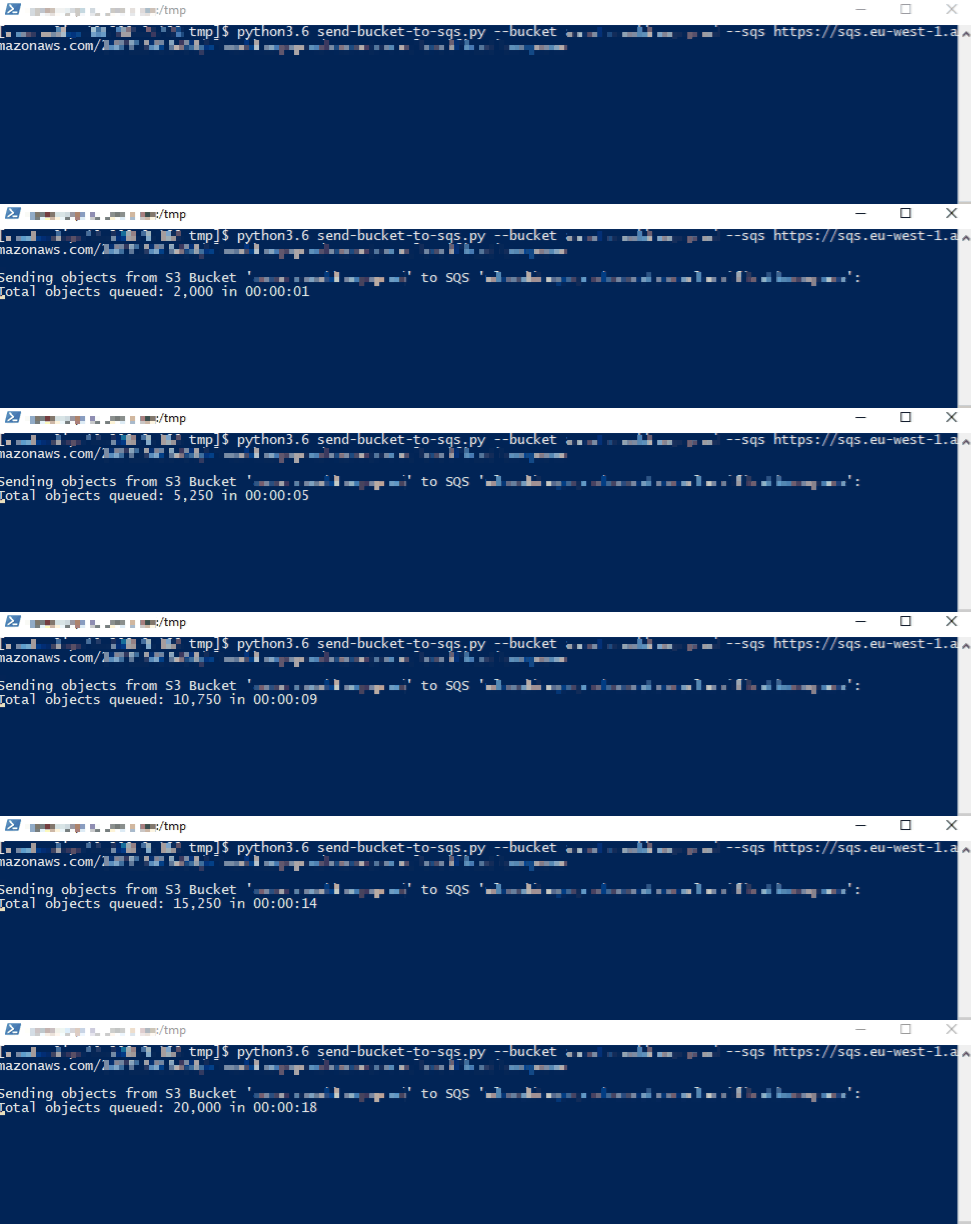
When I run the script on my local Windows machine, it goes like this:

When I run it on a CentOS / T3 Medium Instance on AWS it looks like this: