Using the S3P API to copy 1.3M of 5M of AWS S3 keys

This week we had to exfil some data out of a bucket with 5M+ of keys. After doing some calculations and testing with a Bash script that used AWS CLI, we went a more performant route and used S3P and a small Node.js script. S3P claims to be 5-50 times faster than AWS CLI 😊.
Big shout out to Kunal, Vincent and Ionut for participating on the project.
Input file
Our input file is a simple text file that contains all Case IDs that should be copied. Fortunately, all the data of a case is stored under an S3 key that begins with its Case ID: {Case ID}/{Entity}/{Entity Key}. The file looks like this:
5007Y00000L81mBQAR
5007Y00000L8287QAB
5007Y00000L82DTQAZ
5007Y00000L7zubQAB
5007Y00000L81zQQAR
It contains 411K+ of case IDs.
Thoughts
In order for us to copy (or sync) the data, we need to inspect every key in our source bucket. Here is where S3P shines: it has a fancy listing algorithm that uses massive parallel workers to retrieve pages with keys.
We'll inspect every key of the bucket to see if it starts with a case id that is in the file. S3P will do the rest: balance list and copy actions.
Code
Let's turn the file into a Set and use it as a filter on every key:
import fs from "fs"
import s3p from "s3p"

const { cp, sync } = s3p

let dataFilePath = "./keys.txt"

let sourceBucket = `{source-bucket}`
let destinationBucket = `{destination-bucket}`

let operation = sync // or cp
let destinationPrefix = "cases/"

let keys = new Set(
  fs
    .readFileSync(dataFilePath)
    .toString()
    .split("\n")
    .map(x => x.trim())
    .filter(x => x != "")
)

operation({
  bucket: sourceBucket,
  toBucket: destinationBucket,
  addPrefix: destinationPrefix,
  filter: ({ Key }) => {
    let k = Key.split("/")[0]
    return keys.has(k)
  },
})
I love that S3P can be used as a CLI tool (by running npx s3p) and as an API. When using the API, you can use a filter that is a bit more complex, as shown here.
How to run it?
Unfortunately, I haven't found a way to directly run this script using node index.mjs, because it has a dependency — so you'll need to create a small Node.js application. Fortunately, it is pretty easy to do: first you create a new directory and save the code to an index.mjs file. Next, you'll need to create a file named package.json and paste the following in there:
{
  "type": "module",
  "scripts": {
    "start": "node index.mjs"
  },
  "dependencies": {
    "s3p": "latest"
  }
}
Now you can execute the script like this:
# only need to run this once to install s3p
$ npm install
# start the script:
$ npm start
Easy peasy 🤓.
Help!?
I like the fact that S3P helps you to understand what it can do. It ships a nice bit of help documentation with the CLI:
$ npx s3p cp --helpIt shows:
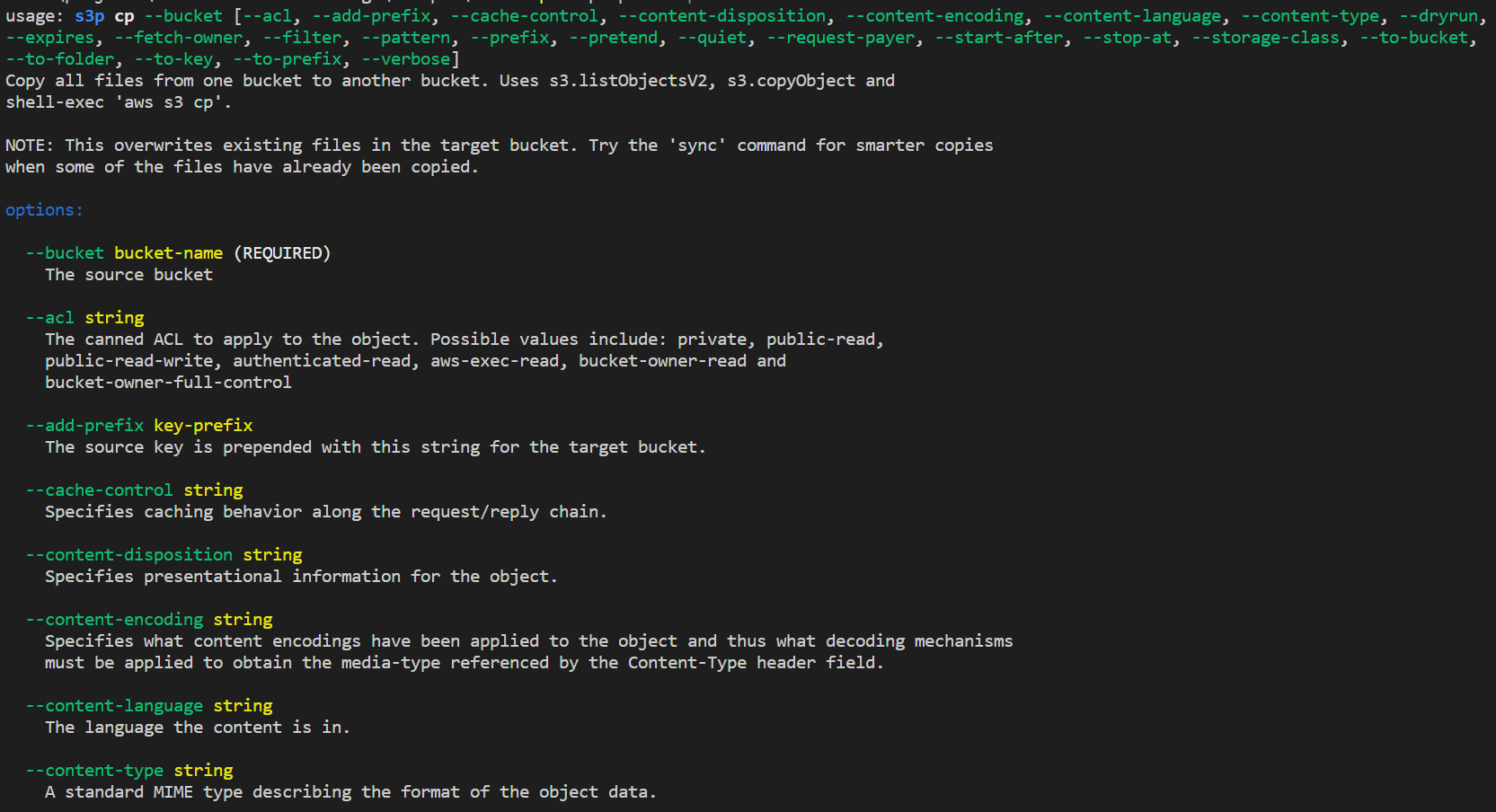
The CLI can even help you write your code:
$ npx s3p cp --bucket bucket-a --to-bucket bucket-b --add-prefix cases/ --api-example
require('s3p').cp({
   bucket: "bucket-a",
   toBucket: "bucket-b",
   addPrefix: "cases/"
})
// > Promise
That's service!
Performance
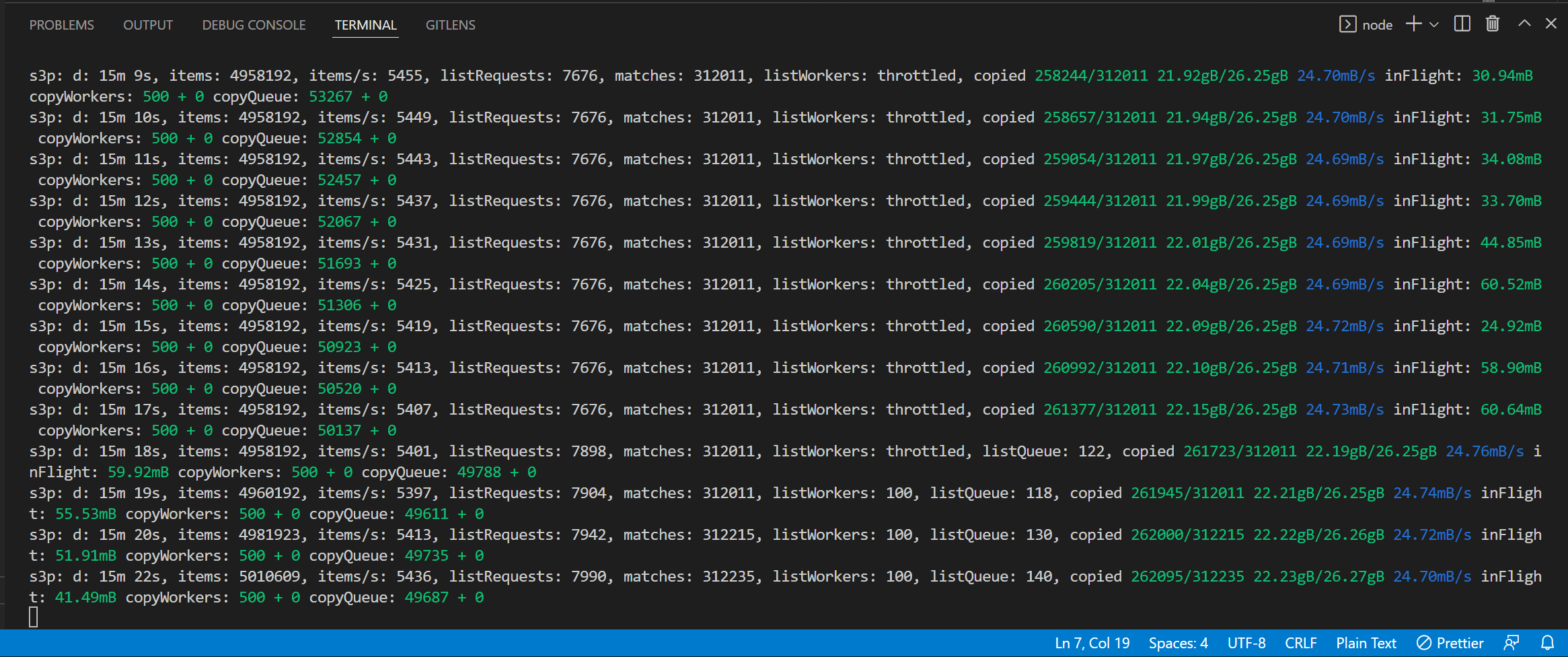
On my local machine and home Wi-Fi, I got a listing performance of 5-16K keys per second. This performance can be further increased by running the script from an EC2 machine. I think the number of copies influences the speed -- if I need to copy less keys, my avg. items/second increases greatly.
The S3P API will echo its status every second to your screen, so it is easy to track what it is doing:
Changelog
- 2022-05-23: Added the transfer speed improvement hypothesis to the Performance section after running the script for a big bucket (5M+) with only 3K matches. The list performance went from 5K items p/s to 15K 😱.
- 2022-05-19: Initial article.