Installing and Configuring OpenCode on Windows
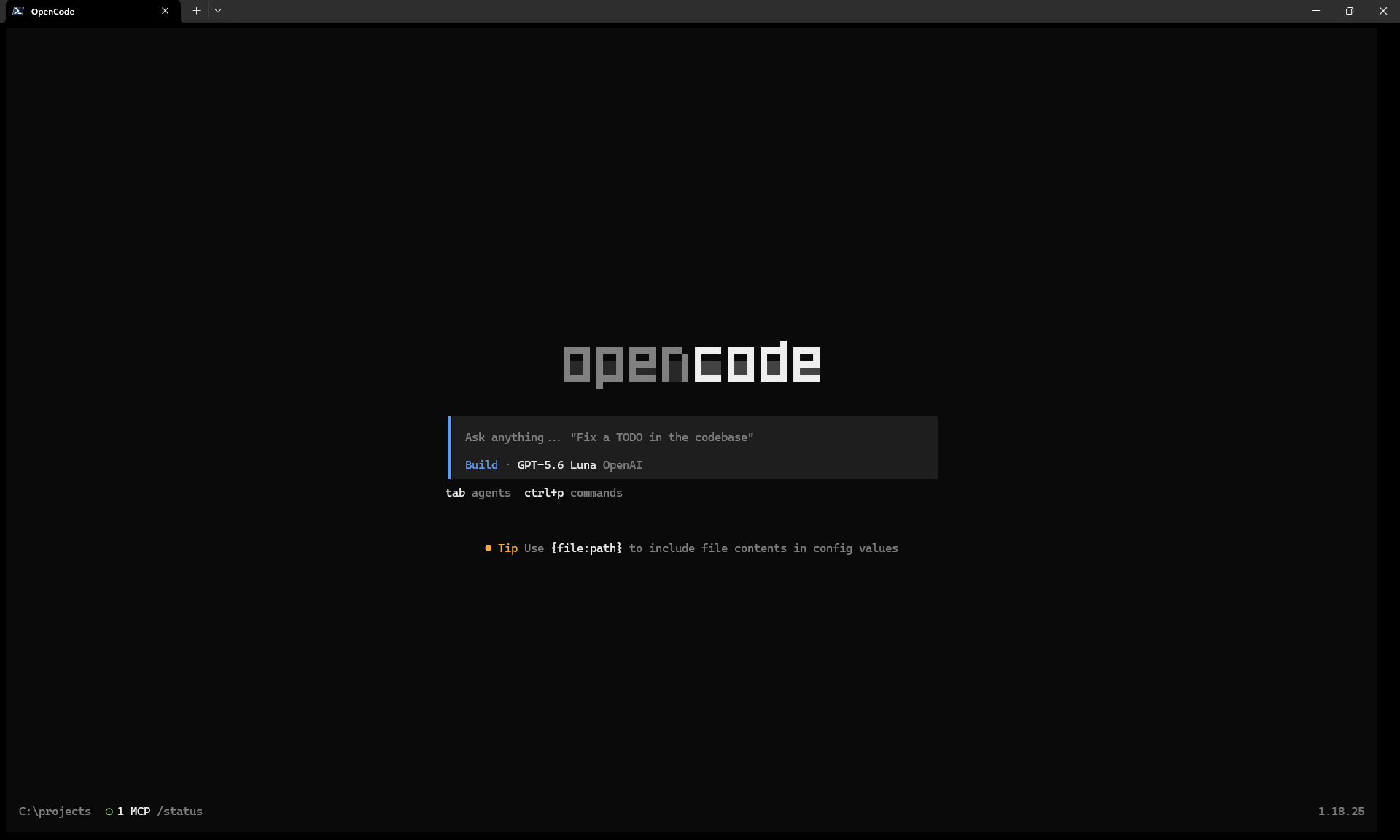
If you want to work with AI and large language models, you'll need a coding-agent harness. My weapon of choice is OpenCode on Windows. This article walks you through installing OpenCode and configuring MCP servers, command permissions, sensitive-file access, watcher exclusions, and skills.
Installation
The script below uses WinGet to install OpenCode, NVM for Windows, and Coreutils. It then installs and activates the latest Node.js LTS release. Node.js is required because the configuration workflow uses npx.
& {
  function Update-Path {
    $machinePath = [Environment]::GetEnvironmentVariable("Path", "Machine")
    $userPath = [Environment]::GetEnvironmentVariable("Path", "User")
    $env:Path = "$machinePath;$userPath"
  }

  # Install OpenCode, NVM for Windows, and Coreutils.
  winget install --id SST.opencode
  winget install --id CoreyButler.NVMforWindows
  winget install --id Microsoft.Coreutils

  # Load tools installed by WinGet into this PowerShell session.
  Update-Path

  # Allow npm and npx PowerShell wrappers for the current user.
  Set-ExecutionPolicy -ExecutionPolicy RemoteSigned -Scope CurrentUser

  # Install and activate the latest LTS version of Node.js.
  nvm install lts
  nvm use lts

  # nvm-windows updates its symlink asynchronously.
  Start-Sleep -Seconds 1

  # Load the updated Node.js path and verify the installed tools.
  Update-Path
  Write-Host "opencode: $(opencode --version)"
  Write-Host "node: $(node --version)"
  Write-Host "npm: $(npm --version)"
  Write-Host "npx: $(npx --version)"
}
The script changes the current user's PowerShell execution policy to RemoteSigned. Review the source before running it.
Use the automatic configurator
Once OpenCode is installed, you have two options:
- Copy the configuration manually. Copy the relevant configuration from the GitHub code blocks below into your central
opencode.jsoncfile. - Run the automatic configurator. It downloads the merge script and configuration fragments into a temporary directory. It then finds your central
opencode.jsoncoropencode.json, creates a timestamped backup, shows a preflight summary, and asks before changing the existing configuration.
Run the automatic configurator with this command:
& ([scriptblock]::Create((irm "https://raw.githubusercontent.com/KeesCBakker/keestalkstech-code-gallery/main/15.opencode/run-merge.ps1?buster=20260922")))The launcher removes its temporary download directory after the merge. The launcher and merge script are available for review.
The launcher downloads and executes PowerShell from GitHub. Review the source before running it.
The merge creates a backup before making changes. It uses Edikt for JSONC-preserving edits, tries Prettier as a best-effort formatting step, and validates the result with opencode debug config. If validation fails, the central configuration is not replaced. If there are no changes, Edikt and Prettier are skipped.
Central Configuration
The central fragment disables OpenCode session sharing by default:
{
  "$schema": "https://opencode.ai/config.json",
  "share": "disabled"
}
Source: keestalkstech-code-gallery/15.opencode/config/opencode.jsonc
Model Context Protocol (MCP) Servers
The MCP fragment defines five servers: Context7, Playwright, Atlassian Rovo MCP, AWS Knowledge MCP, and Slack MCP. Context7 is enabled in the example. The other servers are configured but disabled until you enable them with the /mcp command.
Secret values are stored in separate files under the central OpenCode configuration directory, usually %USERPROFILE%\.config\opencode\secrets, and referenced with OpenCode's {file:...} syntax. Existing secret files are never overwritten. The configurator asks before adding or replacing an MCP and prompts only when a required secret file does not exist.
{
  "$schema": "https://opencode.ai/config.json",
  "mcp": {
    "playwright": {
      "type": "local",
      "command": ["npx", "@playwright/mcp@latest"],
      "enabled": false
    },
    "atlassian": {
      "type": "remote",
      "url": "https://mcp.atlassian.com/v1/mcp/authv2",
      "enabled": false
    },
    "aws-knowledge": {
      "type": "remote",
      "url": "https://knowledge-mcp.global.api.aws",
      "enabled": false
    },
    "context7": {
      "type": "remote",
      "url": "https://mcp.context7.com/mcp",
      "headers": {
        "CONTEXT7_API_KEY": "{file:./secrets/context7-api-key}"
      },
      "enabled": true
    },
    "slack": {
      "type": "remote",
      "url": "https://mcp.slack.com/mcp",
      "oauth": {
        "clientId": "{file:./secrets/slack-client-id}",
        "clientSecret": "{file:./secrets/slack-client-secret}",
        "scope": "search:read.public search:read.private search:read.mpim search:read.im search:read.files files:read"
      },
      "enabled": false
    }
  }
}
Source: keestalkstech-code-gallery/15.opencode/config/opencode-mcps.jsonc
Command Permissions
OpenCode's permission rules determine whether a command is allowed, denied, or requires confirmation. This fragment asks before potentially mutating operations. Read-only Git commands and ordinary Terraform or OpenTofu plans are allowed; destroy plans still require approval. It also covers common cloud, container, package-manager, database, operating-system, PowerShell, and language-tool commands.
{
  "$schema": "https://opencode.ai/config.json",
  "permission": {
    "bash": {
      // HTTP requests.
      "curl *localhost*": "allow",
      "curl *127.0.0.1*": "allow",
      "curl *0.0.0.0*": "allow",
      "curl * -X POST*": "ask",
      "curl * --request POST*": "ask",
      "curl * -X PUT*": "ask",
      "curl * --request PUT*": "ask",
      "curl * -X PATCH*": "ask",
      "curl * --request PATCH*": "ask",
      "curl * -X DELETE*": "ask",
      "curl * --request DELETE*": "ask",
      "curl * -d *": "ask",
      "curl * --data*": "ask",

      // Git: ask by default and allow known read-only operations.
      "git *": "ask",
      "git status*": "allow",
      "git log*": "allow",
      "git diff*": "allow",
      "git show*": "allow",
      "git branch": "allow",
      "git branch -a*": "allow",
      "git tag": "allow",
      "git tag -l*": "allow",

      // Infrastructure: allow ordinary plans, but ask for destroy plans.
      "terraform *": "ask",
      "terraform plan*": "allow",
      "terraform plan -destroy*": "ask",
      "tofu *": "ask",
      "tofu plan*": "allow",
      "tofu plan -destroy*": "ask",

      // Configuration management and cloud providers.
      "ansible-playbook*": "ask",
      "ansible *": "ask",
      "aws *": "ask",
      "gcloud *": "ask",
      "az *": "ask",
      "doctl *": "ask",

      // Kubernetes, Helm, and containers.
      "kubectl *": "ask",
      "helm *": "ask",
      "docker *": "ask",
      "docker-compose *": "ask",

      // Database clients.
      "psql*": "ask",
      "mysql*": "ask",
      "mongosh*": "ask",
      "redis-cli*": "ask",

      // Firewall and networking.
      "iptables*": "ask",
      "ufw*": "ask",
      "firewall-cmd*": "ask",
      "dig * +update*": "ask",
      "nsupdate*": "ask",
      "ip route*": "ask",
      "ifconfig*": "ask",

      // Package managers and package execution.
      "apt-get *": "ask",
      "apt *": "ask",
      "yum *": "ask",
      "dnf *": "ask",
      "brew *": "ask",
      "snap *": "ask",
      "winget *": "ask",
      "choco *": "ask",
      "npm *": "ask",
      "npx *": "ask",
      "yarn *": "ask",
      "pnpm *": "ask",
      "bun *": "ask",

      // .NET and NuGet: ask by default and allow harmless diagnostics.
      "dotnet *": "ask",
      "dotnet --info": "allow",
      "dotnet --version": "allow",
      "dotnet --list-sdks": "allow",
      "dotnet --list-runtimes": "allow",
      "nuget *": "ask",

      // Java and Maven: ask by default and allow version diagnostics.
      "java *": "ask",
      "java --version": "allow",
      "java -version": "allow",
      "mvn *": "ask",
      "mvn --version": "allow",
      "mvn -version": "allow",
      "mvn -v": "allow",
      "mvnw *": "ask",
      "mvnw --version": "allow",
      "mvnw -version": "allow",
      "mvnw -v": "allow",

      // Python and package managers: ask by default and allow version diagnostics.
      "python *": "ask",
      "python --version": "allow",
      "python -V": "allow",
      "py *": "ask",
      "py --version": "allow",
      "py -V": "allow",
      "pip *": "ask",
      "pip --version": "allow",
      "pip -V": "allow",
      "pip3 *": "ask",
      "pip3 --version": "allow",
      "pip3 -V": "allow",
      "python -m pip *": "ask",
      "python -m pip --version": "allow",
      "py -m pip *": "ask",
      "py -m pip --version": "allow",
      "uv *": "ask",
      "uv --version": "allow",
      "poetry *": "ask",
      "poetry --version": "allow",
      "pipx *": "ask",
      "pipx --version": "allow",

      // Go and Rust toolchains: ask by default and allow version diagnostics.
      "go *": "ask",
      "go version": "allow",
      "rustc *": "ask",
      "rustc --version": "allow",
      "rustc -V": "allow",
      "cargo *": "ask",
      "cargo --version": "allow",
      "cargo -V": "allow",
      "rustup *": "ask",
      "rustup --version": "allow",
      "rustup -V": "allow",

      // Files, disks, permissions, and users.
      "rm *": "ask",
      "rm -rf*": "ask",
      "rm -r*": "ask",
      "rmdir*": "ask",
      "mv *": "ask",
      "dd *": "ask",
      "mkfs*": "ask",
      "fdisk*": "ask",
      "parted*": "ask",
      "chmod*": "ask",
      "chown*": "ask",
      "useradd*": "ask",
      "userdel*": "ask",
      "usermod*": "ask",
      "passwd*": "ask",
      "sudo *": "ask",

      // Services, processes, and remote access.
      "systemctl *": "ask",
      "service * stop*": "ask",
      "service * restart*": "ask",
      "reboot*": "ask",
      "shutdown*": "ask",
      "poweroff*": "ask",
      "halt*": "ask",
      "crontab -r*": "ask",
      "kill*": "ask",
      "pkill*": "ask",
      "killall*": "ask",
      "ssh *": "ask",
      "ssh * rm*": "ask",
      "ssh * shutdown*": "ask",
      "scp *": "ask",

      // Build and package publishing.
      "make install*": "ask",
      "make deploy*": "ask",
      "npm publish*": "ask",
      "yarn publish*": "ask",
      "pip upload*": "ask",
      "twine upload*": "ask",
      "cargo publish*": "ask",

      // Explicit PowerShell execution.
      "powershell *": "ask",
      "pwsh *": "ask",

      // PowerShell file operations.
      "Remove-Item*": "ask",
      "Move-Item*": "ask",
      "Copy-Item*": "ask",
      "Rename-Item*": "ask",
      "Set-Content*": "ask",
      "Add-Content*": "ask",
      "Out-File*": "ask",
      "Clear-Content*": "ask",
      "New-Item*": "ask",

      // PowerShell network, process, machine, and service operations.
      "Invoke-WebRequest*": "ask",
      "Invoke-RestMethod*": "ask",
      "Start-Process*": "ask",
      "Stop-Process*": "ask",
      "Set-ExecutionPolicy*": "ask",
      "Stop-Computer*": "ask",
      "Restart-Computer*": "ask",
      "Stop-Service*": "ask",
      "Restart-Service*": "ask",
      "Remove-Service*": "ask"
    }
  }
}
Source: keestalkstech-code-gallery/15.opencode/config/opencode-ask.jsonc
Sensitive Configuration Files
I would rather not have OpenCode read secrets from configuration files. This fragment denies reads of common secret-bearing files, including environment files, cloud credentials, SSH configuration, Terraform state, package-manager configuration, and private keys. Example, sample, and template files remain readable.
{
  "$schema": "https://opencode.ai/config.json",
  "permission": {
    "read": {
      // Environment files and common local configuration.
      ".env*": "deny",
      "*.env": "deny",
      "appsettings*.json": "deny",
      "application*.yml": "deny",
      "application*.yaml": "deny",
      "application*.properties": "deny",
      "secrets/**": "deny",
      "**/secrets/**": "deny",

      // Infrastructure state and local credentials.
      "*.tfstate*": "deny",
      ".terraformrc": "deny",
      "terraform.rc": "deny",
      "kubeconfig": "deny",
      ".kube/config": "deny",
      "**/.kube/config": "deny",

      // SSH, cloud, and package-manager credentials.
      ".ssh/**": "deny",
      "**/.ssh/**": "deny",
      ".aws/credentials": "deny",
      ".aws/config": "deny",
      "**/.aws/credentials": "deny",
      "**/.aws/config": "deny",
      ".azure/**": "deny",
      "**/.azure/**": "deny",
      ".npmrc": "deny",
      "**/.npmrc": "deny",
      ".yarnrc": "deny",
      ".yarnrc.yml": "deny",
      "**/.yarnrc": "deny",
      "**/.yarnrc.yml": "deny",

      // .NET, Java, Python, Go, and Rust credentials.
      "NuGet.Config": "deny",
      "**/NuGet.Config": "deny",
      ".m2/settings.xml": "deny",
      "**/.m2/settings.xml": "deny",
      "gradle.properties": "deny",
      "**/gradle.properties": "deny",
      ".config/pip/**": "deny",
      "**/.config/pip/**": "deny",
      ".pypirc": "deny",
      "**/.pypirc": "deny",
      ".config/gh/hosts.yml": "deny",
      "**/.config/gh/hosts.yml": "deny",
      ".cargo/credentials*": "deny",
      "**/.cargo/credentials*": "deny",

      // Private keys and certificate material.
      "*.pem": "deny",
      "*.key": "deny",
      "*.p12": "deny",
      "*.pfx": "deny",
      "*.jks": "deny",
      "*.keystore": "deny",

      // Example files are intended to be shared and remain readable.
      "*.example*": "allow",
      "**/*.example*": "allow",
      "*.sample*": "allow",
      "**/*.sample*": "allow",
      "*.template*": "allow",
      "**/*.template*": "allow"
    }
  }
}
Source: keestalkstech-code-gallery/15.opencode/config/opencode-config-files.jsonc
Watcher Exclusions
OpenCode monitors files in your workspace so it can react to changes and keep its project context current. Generated output and caches create noise, so the watcher fragment excludes common folders from JavaScript, Java, .NET, Python, infrastructure tooling, and other development tools without hiding source files.
{
  "$schema": "https://opencode.ai/config.json",
  "watcher": {
    "ignore": [
      // JavaScript and frontend output.
      "node_modules/**",
      "dist/**",
      ".next/**",
      ".nuxt/**",
      ".turbo/**",
      ".cache/**",
      "coverage/**",

      // Repository metadata and infrastructure state.
      ".git/**",
      ".terraform/**",
      "*.tfstate*",

      // Java and Maven/Gradle output.
      "target/**",
      ".gradle/**",

      // .NET output.
      "bin/**",
      "obj/**",
      "TestResults/**",
      ".vs/**",
      "artifacts/**",

      // Python caches and virtual environments.
      "__pycache__/**",
      ".pytest_cache/**",
      ".mypy_cache/**",
      ".ruff_cache/**",
      ".venv/**",
      "venv/**",
      "build/**",
      ".tox/**",
      ".nox/**",
      "htmlcov/**",

      // Go-generated and test output.
      "coverage.out"
    ]
  }
}
Source: keestalkstech-code-gallery/15.opencode/config/opencode-watcher.jsonc
Skills
I've declared the skills as data, so installation is easy. After a successful configuration merge, the configurator checks the global OpenCode skill list, skips skills that are already installed, and asks for approval before installing each missing skill.
skills:
  - name: skill-creator
    source: https://github.com/anthropics/skills
  - name: htmx
    source: https://github.com/mindrally/skills
  - name: find-skills
    source: https://github.com/vercel-labs/skills
  - name: git-commit
    source: https://github.com/github/awesome-copilot
Source: keestalkstech-code-gallery/15.opencode/config/opencode-skills.yaml
Conclusion
The configuration is ultimately data, and the code is licensed under the MIT License. Feel free to fork or copy it as a starting point for your team's OpenCode setup.
The code is on GitHub, so check it out: code gallery / 15.opencode.