Generate M3U Playlist with PowerShell

MP3s are everywhere and back in 2014 I finally had a phone with enough storage to store a decent amount of them. I use MediaMonkey to add high resolution album covers and to rename the files in a predictable format: Artist - Album - # - Title. The only thing I was missing was a simple way of creating a M3U playlist: PowerShell to the rescue!
Generate M3U function
Let's create a function that takes a directory and generates an M3U playlist file:
function GenerateM3U {
    param(
        [System.IO.DirectoryInfo] $directory,
        [string] $playlistFileName = "",
        [string] $pattern = "*.mp3"
    )

    # make sure we add m3u as an extension
    if ( "$playlistFileName" -eq "" ) {
        $playlistFileName = $directory.Name + ".m3u"
    }
    elseif ( ! $playlistFileName.EndsWith("m3u") ) {
        $playlistFileName = "$playlistFileName.m3u"
    }

    # store relative paths in the same directory
    if ( ! [System.IO.Path]::IsPathRooted($playlistFileName) ) {
        $playlistFileName = Join-Path -Path $directory -ChildPath $playlistFileName
    }

    # remove old file
    if ( Test-Path $playlistFileName -PathType Leaf ) {
        Remove-Item $playlistFileName
    }

    # only read mp3 files
    if ( ! $pattern.EndsWith(".mp3") ) {
        $pattern = "$pattern*.mp3"
    }

    # write m3u
    $directory.GetFiles($pattern) |
        ForEach-Object { $_.Name } |
        Sort-Object |
        Out-File -Encoding UTF8 -FilePath $playlistFileName
}
Now we can call the function in a few different ways to create an M3u playlist:
# generate based on a directory:
GenerateM3U "./Gavin James - For You"

# generate named m3u:
GenerateM3U "./Gavin James - For You" "kees.m3u"

# generate named m3u of certain mp3 files:
GenerateM3U "./Gavin James - For You" "kees2.m3u" "Gavin*.mp3"

# generate m3u in a different directory:
GenerateM3U "./Gavin James - For You" "c:\temp\" "Gavin*.mp3"
Caveat: Out-File encoding
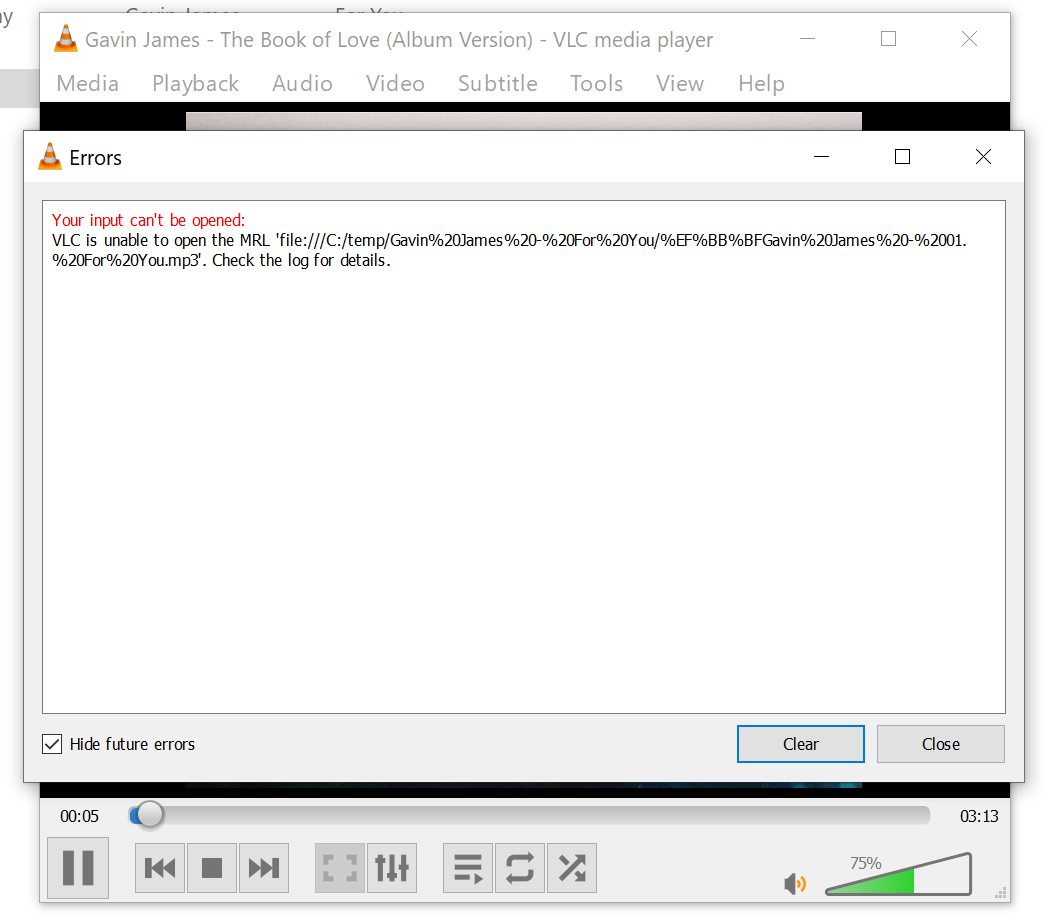
While working on this code I initially omitted the encoding. This led to an MRL exception in VLC:
When inspecting the file in an online HEX editor, we see some weird characters:
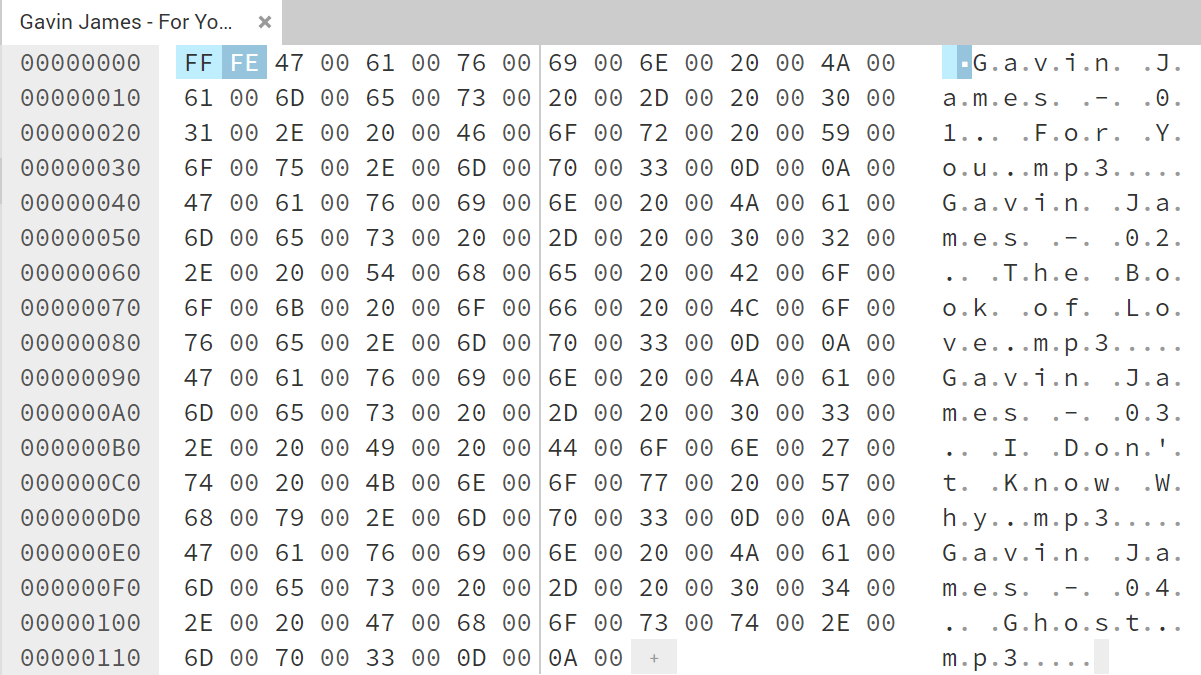
This is a UTF-16, little endian, byte order mark -- which is not interpreted correctly by the VLC player. That is why we need to add -Encoding utf8 to the Out-File statement. This will add an EF BB EF to the beginning of the file, which means the file is UTF-8 and something VLC understands.
In the comments it is pointed out that -Encoding default works better for Windows Media Player. It will work for VLC as well, but if your file names contain UTF-8 characters, it will not work anymore.
Final thoughts
Because of the default PowerShell Out-File encoding, generation of an M3U playlist is less straightforward as I thought. A HEX editor is a great way of debugging these encoding problems.
Improvements
2021-07-09: Added comment about -Encoding default and Windows Media Player.
2020-12-31: Images are now zoomable.
2020-08-06: Rewrote the article. Created a simple function instead of a script. Added an analysis of the encoding problem VLC was facing.
2014-02-01: Initial article