Generate M3U Playlist with PowerShell

MP3s are everywhere, and back in 2014 I finally had a phone with enough storage for a decent number of them. I use MediaMonkey to add high-resolution album covers and to rename the files in a predictable format: Artist - Album - # - Title. The only thing I was missing was a simple way of creating an M3U playlist: PowerShell to the rescue!
The GenerateM3U function
Let's create a function that takes a directory and generates an M3U playlist file:
function GenerateM3U {
    param(
        [System.IO.DirectoryInfo] $directory,
        [string] $playlistFileName = "",
        [string] $pattern = "*.mp3"
    )

    # Make sure we add .m3u as an extension
    if ( [string]::IsNullOrWhiteSpace($playlistFileName) ) {
        $playlistFileName = $directory.Name + ".m3u"
    }
    elseif ( $playlistFileName -ne [System.IO.Path]::GetFileName($playlistFileName) ) {
        throw "playlistFileName must be a file name without a directory."
    }
    elseif ( [System.IO.Path]::GetExtension($playlistFileName) -ine ".m3u" ) {
        $playlistFileName = "$playlistFileName.m3u"
    }

    # Store the playlist next to the files so relative paths work
    $playlistFileName = Join-Path -Path $directory -ChildPath $playlistFileName

    # Remove old file
    if ( Test-Path $playlistFileName -PathType Leaf ) {
        Remove-Item $playlistFileName
    }

    # Only read MP3 files
    if ( [string]::IsNullOrEmpty([System.IO.Path]::GetExtension($pattern)) ) {
        $pattern = "$pattern*.mp3"
    }
    elseif ( [System.IO.Path]::GetExtension($pattern) -ine ".mp3" ) {
        throw "pattern must match MP3 files."
    }

    # Write M3U
    $directory.GetFiles($pattern) |
        ForEach-Object { $_.Name } |
        Sort-Object |
        Out-File -Encoding UTF8 -FilePath $playlistFileName
}
Now we can call the function in a few different ways to create an M3U playlist:
# Generate based on a directory:
GenerateM3U "./Gavin James - For You"

# Generate named M3U:
GenerateM3U "./Gavin James - For You" "kees.m3u"

# Generate named M3U of certain MP3 files:
GenerateM3U "./Gavin James - For You" "kees2.m3u" "Gavin*.mp3"
Caveat: Out-File encoding
This encoding caveat applies to Windows PowerShell 5.1. PowerShell 6 and later defaults to UTF-8 without a byte order mark (BOM), and -Encoding utf8 also writes UTF-8 without a BOM. See Microsoft's about_Character_Encoding documentation for version-specific behavior.
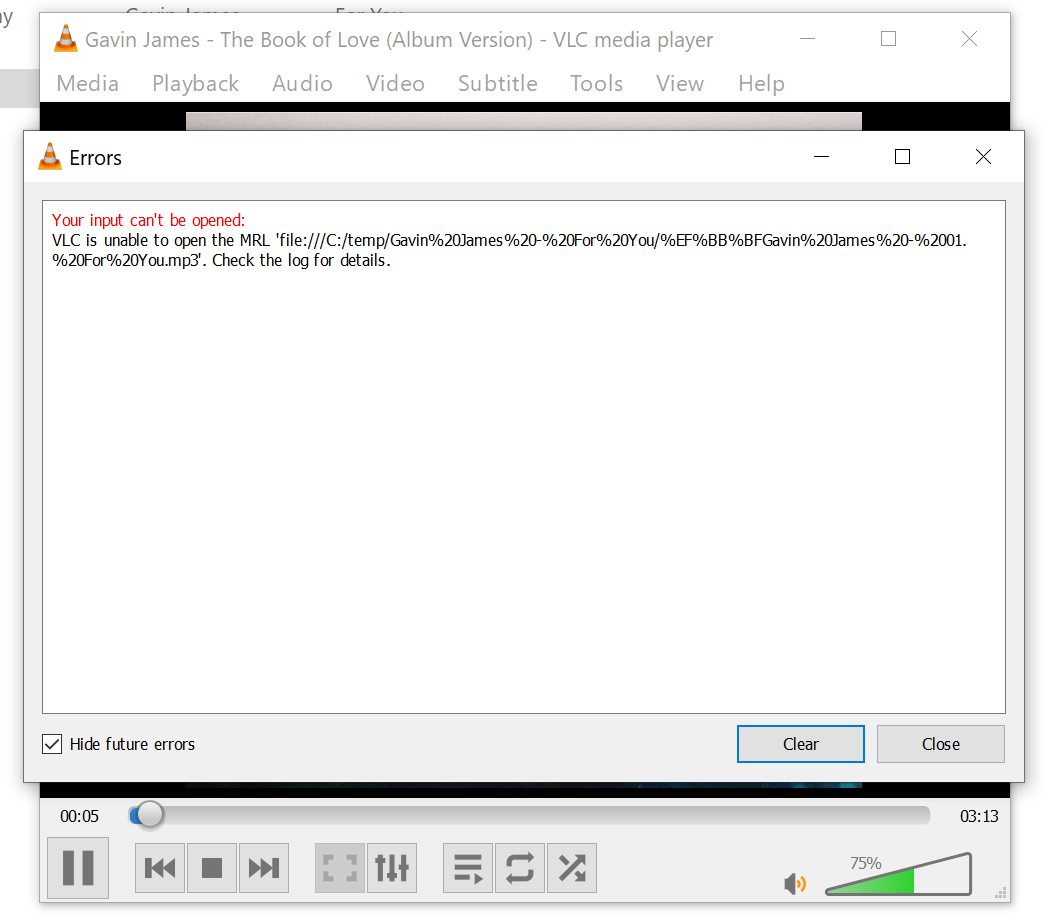
While working on this code I initially omitted the encoding. This led to an MRL exception in VLC:
When inspecting the file in an online HEX editor, we see some weird characters:
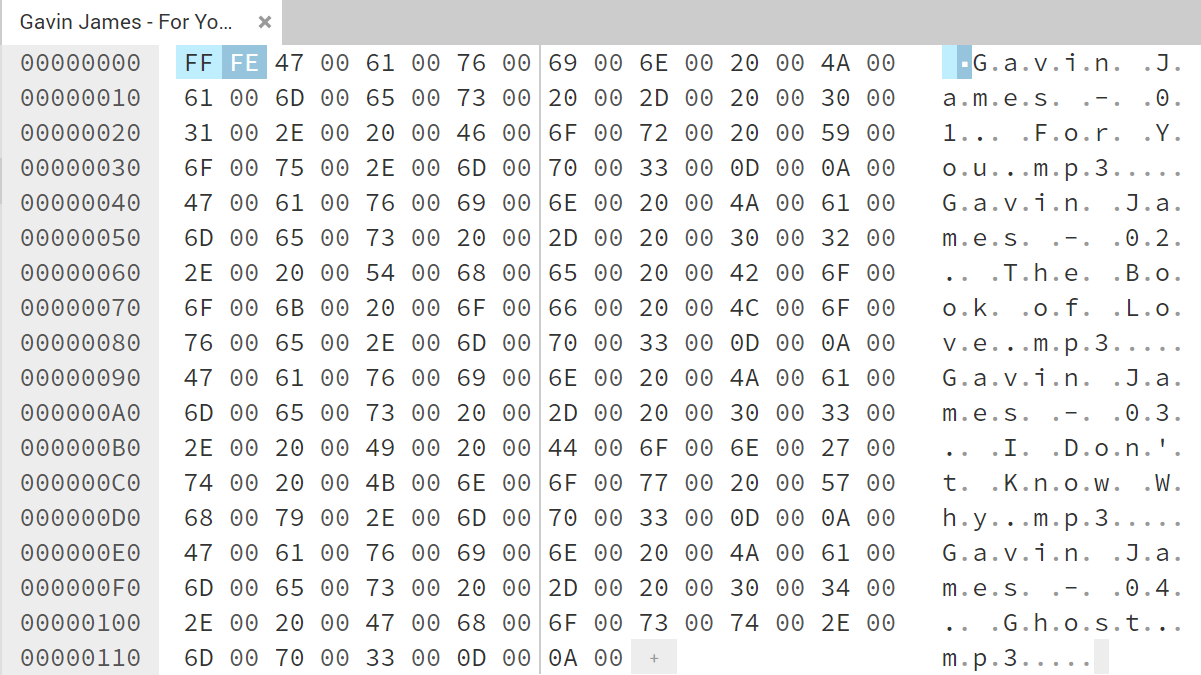
This is a UTF-16 little-endian byte order mark, which VLC did not interpret correctly. In Windows PowerShell 5.1, adding -Encoding utf8 to the Out-File statement writes UTF-8 with a BOM. This adds EF BB BF to the beginning of the file, which is something VLC understands.
In the comments, it was pointed out that -Encoding Default works better for Windows Media Player when using Windows PowerShell 5.1. It also works with VLC, but characters that are not available in the active Windows code page can become corrupted.
Final thoughts
Because of the default PowerShell Out-File encoding, generating an M3U playlist is less straightforward than I thought. A HEX editor is a great way of debugging these encoding problems.
Changelog
- 2026-07-18: Corrected the encoding explanation and playlist path handling. Improved wording.
- 2021-07-09: Added comment about
-Encoding defaultand Windows Media Player. - 2020-12-31: Images are now zoomable.
- 2020-08-06: Rewrote the article. Created a simple function instead of a script. Added an analysis of the encoding problem VLC was facing.
- 2014-02-01: Initial article