# A Table of Contents shortcode for WordPress articles
**Date:** 2020-12-26
**Author:** Kees C. Bakker
**Categories:** PHP, WordPress
**Original:** https://keestalkstech.com/a-table-of-contents-shortcode-for-wordpress-articles/

---
A *Table of Contents* helps users navigate (long) blog posts. I use them on both posts and post. The desktop version always shows the table on the right side in the sidebar (using a text-widget with a shortcode). On mobile, I'll only show it on long articles, using a shortcode under the first paragraph.
[I love shortcodes](https://keestalkstech.com/2020/12/shortcodes-for-simple-post-lists-in-wordpress/#why-shortcodes), because they are very versatile and easy to adjust. I ship them with my theme. My table of contents looks like this:
1. [Intro](#top)
2. [(1.) Named anchor headings](#1-named-anchor-headings)
3. [(2.) The outline shortcode](#2-the-outline-shortcode)[TOC implementation](#toc-implementation)
[Almost done...](#almost-done)
1. [Wow... that was fast!](#wow-that-was-fast)
2. [Caveat: the sticky header](#caveat-the-sticky-header)
[Conclusion](#conclusion)[Comments](#comments)
I like the fact that Google also looks to the *Table of Contents*:
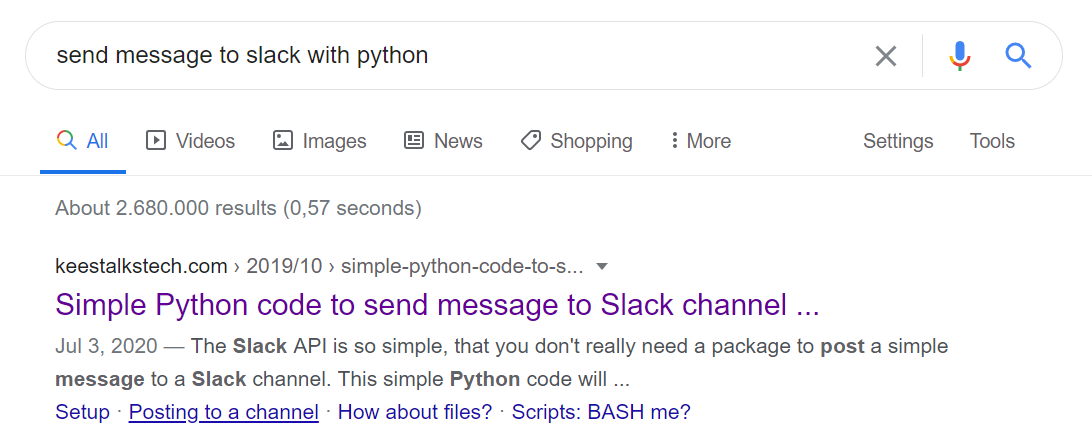
*The table of contents is nicely shown under the search result. I don't know if people are actually using them, but it looks nice..*
Let's jump right in: first we need to add `id`'s to the headings and then we can use them to create a *Table of Contents* with jump links.
## 1. Named anchor headings
I love headings that are navigable. It helps users to share a section of an article with others, instead of the entire page. *Did you know we can jump to any element with an `id` attached to it?* Let's make our headings clickable as well.
We want to attach a unique identifier to every H2...H9 element. I like to keep things readable and backwards compatible, so we are using the *text* of the heading to generate the unique identifier.
```php
add_filter('the_content', 'ktt_parse_headings');
function ktt_parse_headings($content)
{
if (is_singular()) {
$regex = "/<(h[2-9])([^>]*)>(.*?)<\/\\1>/";
$content = preg_replace_callback(
$regex,
"ktt_add_header_links",
$content
);
}
return $content;
}
function ktt_add_header_links($matches)
{
$h = $matches[1];
$attr = $matches[2];
$title = $matches[3];
$id = sanitize_title($title);
$txt = '<'
. $h
. $attr
. ' id="' . $id . '">'
. ''
. $title
. '';
return $txt;
}
```
The `is_singular` makes sure that a TOC is rendered on single pages and a blog posts.
We use regular expression groups to *extract* information from the headings. Regular expression can be quite daunting, but when visualized they become easier to understand:
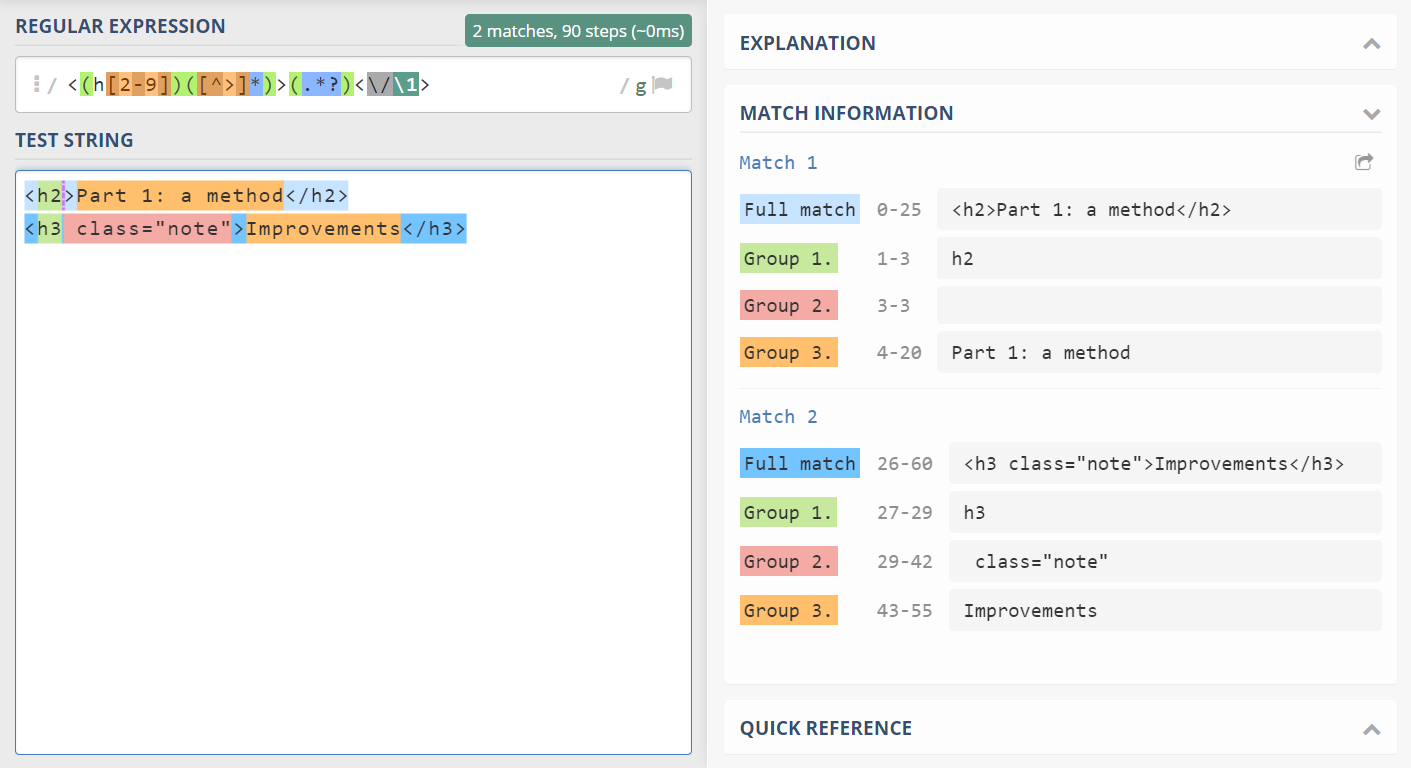
*Visualization of the regular expression with regex101.com. Here we see that the second group remains empty for the first h2.*
The `id` is created by `sanitize_title($title)`. This turns our text into a readable [fragment identifier](https://developer.mozilla.org/en-US/docs/Web/HTTP/Basics_of_HTTP/Identifying_resources_on_the_Web#Fragment). It removed characters that are not needed and produces a predictable result:
```
Shortcode? => #shortcode
Bonus: Queue => #bonus-queue
What's a stack? => #whats-a-stack
```
## 2. The outline shortcode
Here I must start with a *disclaimer* as the implementation of the TOC is opinionated:
### TOC implementation
The following code will implement the shortcode:
```php
add_shortcode('outline', 'ktt_sh_outline');
function ktt_sh_outline($atts)
{
# only show on pages and posts
if (!is_singular()) {
return "";
}
# don't show on empty pages
$content = get_the_content();
if (empty($content)) {
return "";
}
# convert headings into a list
preg_match_all("/(]*>.*?<\/h\\2>)/", $content, $matches);
$items = array_map('ktt_heading_to_list_item', $matches[1]);
# no headings? no outline!
if (empty($items)) {
return "";
}
$outline = join('', $items);
# join adjacent ol's together
$outline = preg_replace('/<\/ol>/', '', $outline);
# join append ol's to the preceding li
$outline = preg_replace('/<\/li>\s*(.*?)<\/ol>/s', '$1
', $outline);
# wrap numbers
$outline = preg_replace('/>(\d+\.?)/s', '>($1)', $outline);
# add a comments section
if (is_single()) {
$outline .= '- Comments
';
}
$cls = 'article-outline';
if (isset($atts['class'])) {
$cls = $cls . ' ' . $atts['class'];
}
$outline =
'' .
'- Intro
' .
$outline .
'
';
return $outline;
}
function ktt_heading_to_list_item($item)
{
# remove sub tags from heading (like strong)
$tagSanitizer = "/<\/?[^h>]+>/";
$item = preg_replace($tagSanitizer, "", $item);
$regex = "/]*>([^<]+)<\/h\\1>/";
if(!preg_match($regex, $item, $matches)){
return $item;
}
$h = $matches[1];
$title = $matches[2];
$lnk = sanitize_title($title);
// prefix the H3 elements with OL:
$prefix = $h == "3" ? '' : '';
$postfix = $h == "3" ? '
' : '';
return
$prefix .
'- ' .
$title .
'
' .
$postfix;
}
```
First it gets the `h2` and `h3` elements from the content. It will parse each element into a `li` with an anchor. When an `h3` is encountered, it will wrap it into an `ol`.
Now that we have our list of elements, we must do some further parsing. First, we must replace `` with `''`. *This will merge all successive `h3`-items together*.
Next, we must move the `ol` elements into the preceding `li`. *This produces proper nesting*.
As a final touch, we'll wrap numbers with parenthesis on lines that start with them: `4. The 4th movement` becomes `(4.) The 4th movement`.
You can now insert the shortcode wherever you please: in articles, on widgets.
## Almost done...
Technically, we're done. But when you implement the code, you'll run into two problems quite quickly. Let's discuss!
### Wow... that was fast!
When you click a link, the browser instantly scrolls to that section. This might feel a little "jumpy". I like smooth interactions, so let's "fix" it with some JavaScript:
```js
document.addEventListener("click", (e) => {
if (!e.target) return;
let a = e.target;
if (a.nodeName !== "A") {
a = a.closest("a");
}
if (
a &&
a.hash &&
a.protocol === window.location.protocol &&
a.host === window.location.host &&
a.pathname === window.location.pathname &&
a.search === window.location.search
) {
let id = a.hash.substr(1);
let element = document.getElementById(id);
if (!element) return;
element.scrollIntoView({
behavior: "smooth",
block: "start",
inline: "nearest",
});
if (history.replaceState) {
if (id == "top") {
history.replaceState(null, null, document.location.href.split("#")[0]);
} else {
history.replaceState(null, null, "#" + id);
}
}
e.stopPropagation();
e.preventDefault();
}
});
```
First, we need to make sure that the clicked link has the current document as a destination, otherwise you might break your links!!
When a link with a fragment is clicked, we want to "ease" into that section. The `scrollIntoView` with `behavior: "smooth"` does that for us.
Next I use `replaceState` to make sure the address bar of the browser is updated (because we're not using the browser-behavior). When you click a link with `#top` we conveniently not show it.
### Caveat: the sticky header
When you have a sticky header, you'll notice that the heading can disappear *under* the header. To counter this, I use the following CSS:
```css
:root {
--gutter: 20px;
--double-gutter: calc(var(--gutter) * 2);
}
.entry-content h2[id]:before,
.entry-content h3[id]:before {
content: "";
width: 1px;
height: var(--gutter);
display: block;
margin-top: calc(0px - var(--gutter));
margin-left: calc(0px - var(--double-gutter));
}
```
The CSS can look a bit cryptic. Let's add `border: solid 1px red`. Now we can see that a tiny square is on the top left corner:
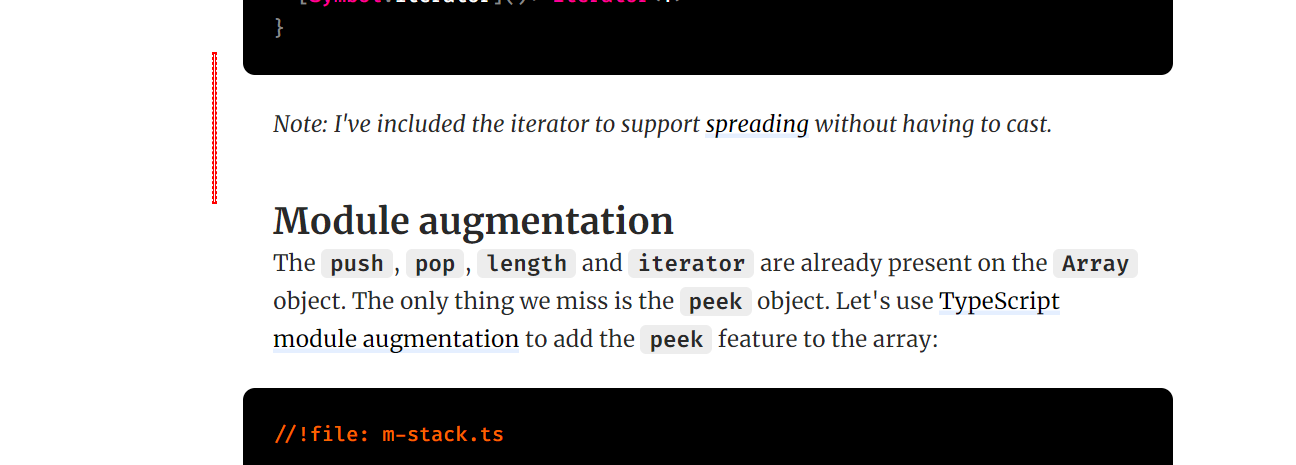
*A tiny - but long - element is rendered at the top left corner.*
When we click on the heading, it scrolls to the top. Here we see that the heading does not pop under the header:
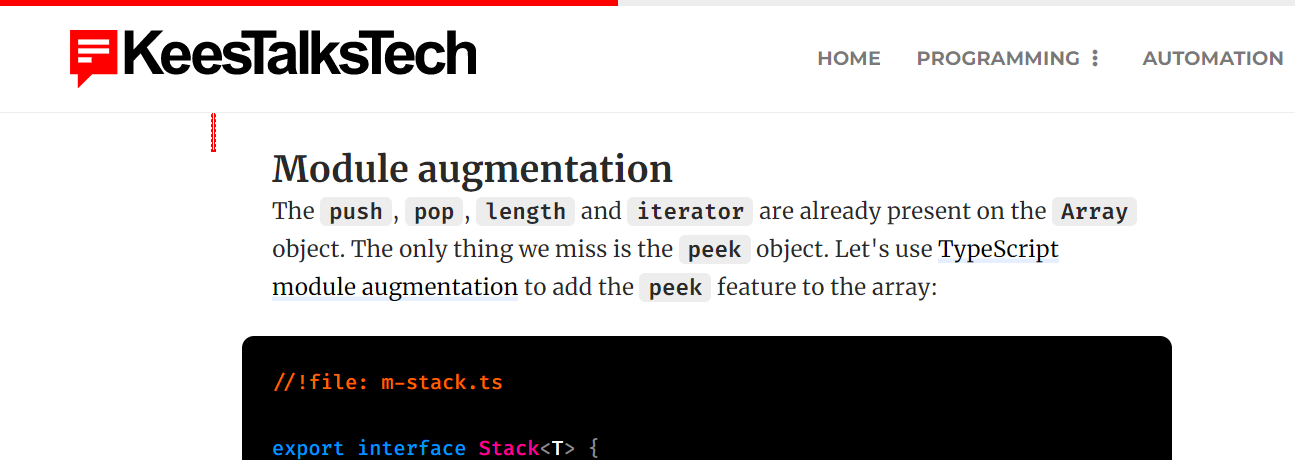
*The heading stays under the sticky header due to the :before element.*
## Conclusion
Adding a *Table of Contents* is not very hard, but jump-links might have some implications, especially when you have a sticky header. Feel free to add the code to your theme.